Getting Started with YTML
YTML (YouTube Markup Language) lets you write videos the same way you write code.
Define slides in HTML, add <voice> tags for narration, and run one CLI command to get a video.
Step 1 — Install
pip install ytml-toolkit
playwright install chromium
Want AI voices? Set your Eleven Labs key:
export ELEVEN_LABS_API_KEY="your-key-here"No key? Use
--use-gttsfor free Google TTS — no sign-up required.
Step 2 — Scaffold a project
ytml init my-video
cd my-video
This creates:
my-video/
├── video.ytml    ← your script
├── assets/       ← images, audio, fonts go here
└── .env          ← paste your Eleven Labs key here (optional)
Step 3 — Write your script
Open video.ytml. Here's what a minimal script looks like:
<ytml>
  <config>
    FRAME_RATE=30
    VIDEO_WIDTH=1920
    VIDEO_HEIGHT=1088
    ENABLE_AI_VOICE=False
  </config>

  <segment>
    <frame duration="4s">
      <div style="display:flex; justify-content:center; align-items:center;
                  height:100vh; background:#1a1a2e; font-family:'Segoe UI',sans-serif;">
        <h1 style="color:#fff; font-size:4em; animation:fadeIn 1.5s ease-out;">
          Hello, World!
        </h1>
      </div>
      <style>
        @keyframes fadeIn {
          from { opacity:0; transform:translateY(30px); }
          to   { opacity:1; transform:translateY(0); }
        }
      </style>
    </frame>
    <voice start="0.5s" end="4s">Hello! This video was generated with YTML.</voice>
  </segment>
</ytml>
Each <segment> is one scene. A <frame> is a slide (plain HTML + CSS). A <voice> tag generates the narration.
Step 4 — Render
ytml -i video.ytml -o output.mp4 --use-gtts
You'll see step-by-step progress:
🎬 YTML  job a3f1bc2e…

     Step 1/5: Parsing YTML… done (0.1s)
     Step 2/5: Generating voiceovers… done (3.2s)
     Step 3/5: Rendering animations… done (12.4s)
     Step 4/5: Synchronising audio & video… done (2.1s)
     Step 5/5: Composing final video… done (1.8s)

✅ Done!  Output → output.mp4
Sample Output
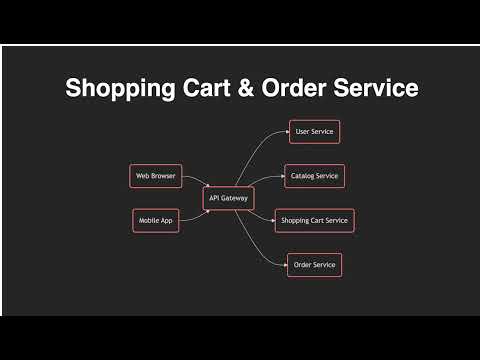
Here's a video generated entirely from a .ytml script:
CLI Reference
| Command / Option | Description |
|---|---|
ytml init [name] | Scaffold a new project |
-i, --input | Path to the .ytml input file |
-o, --output | Output file (default: output_video.mp4) |
--use-gtts | Free Google TTS — no API key needed |
--skip <steps> | Skip steps: parse voiceover render sync compose |
--resume <uuid> | Resume an interrupted job |
--job <uuid> | Reuse voiceovers from another job (use with --skip voiceover) |
--preview | Export HTML preview only — no video rendered |
--verbose | Show detailed debug logs |
--version | Print version |
Skipping expensive steps
Rendering and voiceover generation are slow. Once done, skip them on re-runs:
# Re-compose without re-rendering
ytml -i video.ytml -o output.mp4 --skip render voiceover
Resuming a stopped job
Every job gets a UUID printed at the start. Use it to resume:
ytml --resume 123e4567-e89b-12d3-a456-426614174000
Configuration
Add a <config> block at the top of your .ytml file to override defaults:
<config>
  FRAME_RATE=30
  VIDEO_WIDTH=1920
  VIDEO_HEIGHT=1088
  ENABLE_AI_VOICE=True
  AI_VOICE_ID=yDUXXKsu0jF5vdJnWAPU
  LOG_LEVEL=INFO
</config>
| Setting | Default | Description |
|---|---|---|
FRAME_RATE | 30 | Frames per second |
VIDEO_WIDTH | 1920 | Output width in pixels |
VIDEO_HEIGHT | 1088 | Output height in pixels |
BITRATE | 5000k | Video bitrate |
ENABLE_AI_VOICE | True | Use Eleven Labs AI voices |
AI_VOICE_ID | yDUXXKsu... | Eleven Labs voice ID |
LOG_LEVEL | INFO | DEBUG · INFO · WARNING · ERROR |
Asset Management
Put all images, audio files, and fonts in the assets/ directory next to your .ytml file.
Reference them with relative paths in your HTML:
<frame duration="5s">
  <img src="assets/logo.png" style="width:200px;" />
  <div style="background-image: url('assets/bg.jpg')">...</div>
</frame>
To load custom CSS or JS into every frame:
<config>
  HTML_ASSETS={"css": ["assets/custom.css"], "js": ["assets/custom.js"]}
</config>